A Space for Thoughtful

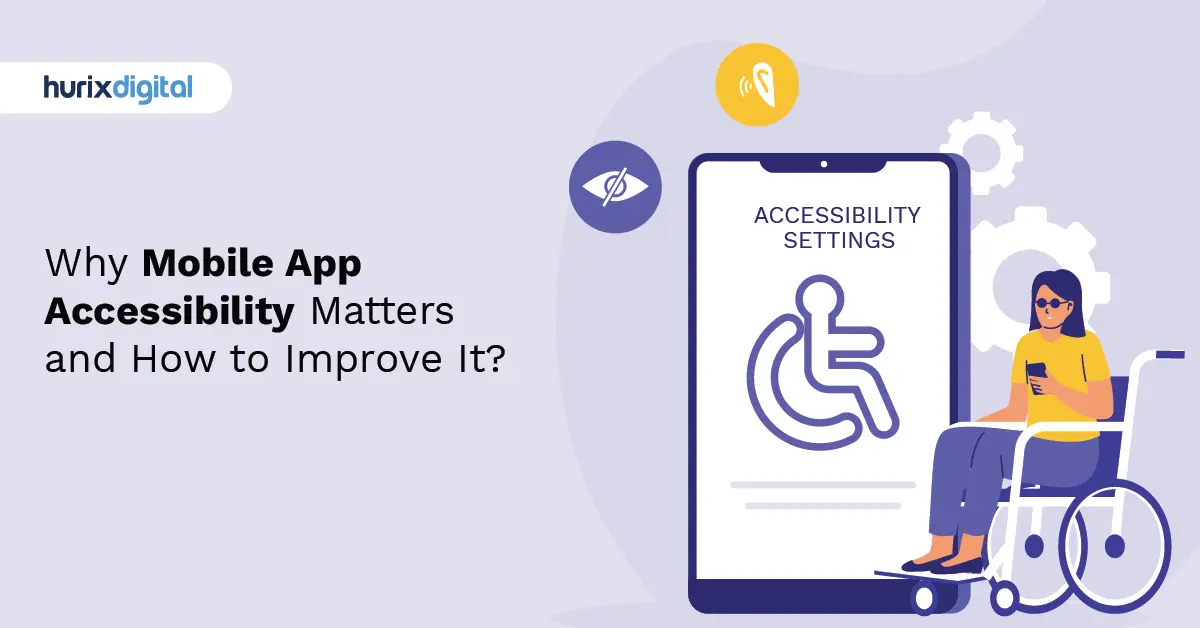
Why Mobile App Accessibility Matters and How to Improve It?
Summarize with:
In the age of mobile computing, phones and tablets have become essential devices, acting as our crucial resources for using the Internet. However, inaccessible mobile app solutions that lack ADA compliance standards can pose significant obstacles for over 1.3 billion individuals with disabilities. As mobile ownership continues to grow, it is essential to ensure that web-enabled devices are accessible to everyone.
It has been demonstrated that inclusively designed apps enhance everyday active users, improve retention, and broaden their audience. For instance, providing mobile app solutions that are accessible to consumers with disabilities can boost app customer retention by 36%. Building for accessibility entails improving the experience for all your clientele, so making an effort is certainly worthwhile.
This comprehensive guide covers the intricacies of mobile app accessibility, from remediation to testing, to help you create an inclusive app experience and understand why it improves your business. We will explore its benefits, common pitfalls, and the specific steps needed to close the gaps in digital experiences. Keep reading to discover how being inclusive can give you a competitive edge.
Table of Contents:
- Understanding Mobile App Accessibility
- Why is Mobile App Accessibility Significant?
- The Broader Benefits of Mobile Accessibility
- The Impact on User Experience and Inclusivity
- Mobile Web Accessibility & Mobile Usability
- 6 Steps to Accessibility Remediation for Apps
- Understanding Mobile App Accessibility Testing
- Common Pitfalls in Mobile App Accessibility Testing
- Solutions to Avoid Issues in Mobile App Accessibility Testing
- Conclusion
Understanding Mobile App Accessibility
Mobile accessibility involves designing and developing mobile interfaces that focus on inclusivity and user accessibility. It centers around recognizing users’ diverse needs and capabilities, including those with visual impairments, hearing loss, motor disabilities, or cognitive challenges. In essence, it’s about ensuring that every individual can interact effortlessly with mobile technology, irrespective of their unique abilities. This practice ensures that apps are perceivable, operable, understandable, and robust for everyone.
Why is Mobile App Accessibility Significant?
Apps with an accessible mobile design can cater to a wider range of people. By anticipating the needs of individuals with disabilities, businesses can create online experiences that are accessible to everyone. There are several persuasive reasons for making apps ADA-compliant, but two stand out as particularly crucial.
1. It is a Stringent Legal Requirement
The Americans with Disabilities Act (ADA) mandates that all businesses must provide accessible online content. Consequently, organizational leaders are devoting additional funds to technological compliance, especially as the number of lawsuits related to ADA web accessibility rises annually.
Importantly, in addition to being necessary for websites, Title III of the ADA also mandates accessibility for mobile apps. As stated differently, all organizations are legally required to ensure that their mobile apps are accessible. Beyond the other benefits, ensuring proper accessibility remediation for ADA compliance is a compelling legal and business case.
2. Reduces the Cost of Developing Mobile Apps
ADA compliance for mobile apps also helps emphasize the advantages of inclusive design when developing an accessible mobile app. The widely accepted international norms for digital accessibility are the Web Content Accessibility Guidelines (WCAG), which also serve as an outstanding basis for enhancing adherence to other non-discrimination regulations. Despite being a technical manual, the WCAG strengthens industry-standard practices rather than severely restricting mobile app developers.
You can connect with a wider audience and lower your service’s long-term expenditures by adhering to WCAG guidelines for mobile:
- WCAG requires accurate semantic markup. When its semantics are right, your app will function on a greater variety of platforms and be easier to upgrade and add new functions to.
- WCAG demands responsive content design. Setting reflow as a top priority is essential because non-responsive mobile app content will not function consistently across various screens.
- When a feature needs pointer gestures, WCAG mandates that the feature be able to be used with just one pointer and no path-based gesture. Adhering to this stipulation guarantees that the content functions for a wider spectrum of users.
The Broader Benefits of Mobile Accessibility
Beyond legal compliance and development costs, having mobile-accessible applications and websites is beneficial in several other ways.
- Enhances SEO: Mobile accessibility enhances your SEO by making your content easier for search engines to find and index. It also makes your mobile applications more user-friendly and improves their navigability, which can decrease bounce rates and signal a positive user experience to search engines.
- Builds Brand Recognition and Customer Retention: Ensuring mobile accessibility showcases that you have a law-abiding business that is mindful of its customers. Being inclusive of every customer creates a reputable image for your brand and fosters a diverse culture that attracts partners for collaboration.
- Increases Your Profits: Mobile accessibility equips your applications with content that can be viewed in different ways, including videos, audio, alt-text, and transcripts. This makes your content accessible to a broader audience, including people experiencing age-related decline or those who are not fluent in English, which in turn can improve your sales.
- Upholds Your Moral Responsibility: People with disabilities are an equal part of society, making accessible mobile applications a moral responsibility. Creating accessible products allows every employee to contribute to a noble cause.
- Offers a Great Degree of Independence: Mobile accessibility provides an opportunity for independence. With just a few taps, swipes, and voice commands, users can handle banking, take online courses, purchase tickets, and stay connected with the world.
The Impact on User Experience and Inclusivity
Prioritizing mobile accessibility results in user experiences that are inclusive, efficient, and delightful for all. An accessible mobile interface allows individuals with disabilities to independently access information, communicate, and engage with mobile apps and websites. It fosters inclusivity, empowering everyone to participate fully in the digital world.
When entering the world of mobile design, understanding and applying mobile accessibility guidelines becomes paramount. Mobile interface design isn’t just about creating visually appealing layouts; it’s about crafting inclusive user experiences. Incorporating mobile accessibility guidelines into your design ensures that every user can seamlessly interact with your mobile interface. This means designing with empathy, considering touch and gesture interactions, responsive layouts, and clear content presentation.
Did You Know? Over 15% of the world’s population lives with some form of disability, highlighting the importance of inclusive design to accommodate a diverse user base.
Mobile Web Accessibility & Mobile Usability
One critical aspect of mobile accessibility is mobile web accessibility. It demands that websites and web applications accessed through mobile devices are designed to be accessible. This entails ensuring compatibility with screen readers, providing adequately labeled form elements, using high color contrast, and creating easy navigation for touch-based interactions.
In parallel, mobile usability complements accessibility by focusing on user-friendliness. It is concerned with crafting intuitive, efficient, and convenient interfaces for interaction on smaller screens. The goal is to make mobile technology a seamless part of users’ lives, regardless of their abilities.
6 Steps to Accessibility Remediation for Apps
Six inclusive accessibility remediation strategies for mobile native apps are outlined here. These are the most important components a native app creator or developer must consider to guarantee accessibility and usability.
1. Design for an Array of Screen Dimensions
Mobile devices have smaller display sizes and unique aspect ratios, which developers must consider. A less extensive screen reduces the amount of data that users can process at once. Here are a few accessibility app development tips to enhance the user interface for small screens:
- Reduce the volume of data on every page by using a mobile-friendly design.
- Provide touch controls and information with a suitable default size to reduce the need for zooming.
- Adjust the link text dimension to the viewport breadth.
- Position form fields beneath their labels instead of alongside them.
2. Concentrate on Placement and Touch Plans
Mobile devices with higher resolutions enable the presentation of multiple interactive features on a small screen. However, these components need to be sufficiently big and far apart for users to aim for them with their fingertips. An app’s tap targets must be large enough to allow users to engage confidently.
Optimal procedures for touch target size include:
- Creating touch targets with a minimum height and width of 9 mm.
- Increasing the amount of inactive space around smaller touch targets.
The interactive components should also be well-positioned so that users can easily access them no matter how the device is held.
3. Maintain Device Actions Basic and Offer Plenty of Reviews
The majority of mobile devices are made for use with touchscreen actions. These motions can range from simple taps to complex multi-finger gestures. Mobile app control gestures should be as simple for users as possible, as those with motor disabilities may find complicated controls difficult. Therefore, you should provide substitutes that enable basic swipe or tap actions.
4. Ascertain Formats and Layouts are in Tandem
In a mobile application, elements that are displayed repeatedly on different pages must have a uniform structure. Navigational elements and repeating features should have in-line placement according to a responsive layout, which arranges components depending on device size and display orientation.
5. Offer Simple Techniques for Entering Data
Another crucial feature of mobile devices is multi-modal data entry, allowing individuals to input data using a variety of methods, such as speech or a Bluetooth keypad. For certain users, typing can be laborious. You can minimize the volume of text entry needed by providing checkboxes, toggle switches, or select listings. You can also have known data (like the date and time) filled in automatically.
6. Verify Color Contrast
The majority of users can follow the general color contrast ratios outlined by WCAG, but mobile apps require special consideration. Mobile devices are often used outside, where sunlight can make it difficult to see the screen. Employing good contrast is essential, as poor contrast can exacerbate difficulties for individuals with low vision. You can use our free color contrast checker for this purpose.
Understanding Mobile App Accessibility Testing
Mobile app accessibility testing is the process of evaluating the usability of an application for people with disabilities. This includes users who are blind or have low vision, limited mobility, or hearing loss. These users often rely on assistive technologies like screen readers, screen magnifiers, and voice recognition software. The ultimate goal of accessibility testing is to ensure that these individuals can access and interact with digital content without barriers.
This testing can be automated using tools that simulate assistive technologies or performed manually by having differently-abled users evaluate the application. Accessibility testing has become an indispensable part of software development.
Common Pitfalls in Mobile App Accessibility Testing
To improve your testing process, it is important to address common mistakes. Here are some of the pitfalls that need to be avoided.
1. Ignoring Text Replacements for Pictures
It is imperative to tackle the problem of neglecting text alternatives for images. This means that pictures in digital content must have “alt text,” or descriptive text, which is necessary for screen readers. An image’s alt text describes its content and intended use. Without it, people who use screen readers or have slow internet connections could miss important information.
2. Establishing Inaccessible Forms and Menus
A critical component of testing is evaluating interactive features like forms and menus. Menus should be designed to work with various input devices, including screen readers and keyboard navigation. They should also offer clear labels, feedback, and guidelines to make them simple for all users to interact with.
3. Not Providing Enough Colour Contrast
It is critical to focus on providing adequate color contrast. This is when the background and text color selections do not adhere to the required guidelines. Sufficient color contrast is imperative for those with low vision or color blindness. For visual accessibility, text and images must have a minimum contrast ratio of 4.5:1, with larger text needing a ratio of 3:1.
4. Disregarding Mobile Device Compatibility
Accessing digital content is most prevalent on mobile devices. A disjointed user experience may result from testing that disregards mobile compatibility, as features designed for desktops may not perform well on smaller screens or touch-based interfaces.
Solutions to Avoid Issues in Mobile App Accessibility Testing
A large number of the most widely used apps on Android and iOS have substantial accessibility issues. Adopting accessibility can help you better serve all users. Here are some effective tips to do so.
1. Avoid Applying a One-Size-Fits-All Strategy to Mobile Testing
Each application is unique, and testing a web application differs greatly from testing a native application. The particular features of an app might call for extra thought. If you’re creating an app for art, for instance, you might need to include communications that restrict accessibility. Nevertheless, you can still increase accessibility by adhering to other pertinent WCAG criteria.
2. Do Not Rely on Automated Tests Entirely
For iOS and Android, automated accessibility tools are available. But no automated test is flawless. An automated tool might overlook certain barriers unique to a mobile context or be limited to specific kinds of content. It’s also critical to remember that certain WCAG requirements call for human judgment.
3. Conduct Tests Using Various Devices
Though it might seem apparent, not every user is using the most recent iPhone. Your mobile app testing approach should represent the whole range of your user base. To achieve this, test your product as much as you can.
- Use on-the-go screen readers to check your formatting.
- Make sure your app is keyboard accessible by testing it with a keyboard.
- Use real devices wherever possible. Simulators are not flawless, particularly if your application relies on features unique to mobile devices.
Conclusion
Performance is driven by accessibility; however, the advantages of accessibility testing for mobile go beyond just performing well. Making sure your app is usable by people with different abilities is both a moral duty and a smart business move. An accessible mobile experience expands your app’s user base, fosters client retention, and improves your company’s perception.
Mobile accessibility is not merely an option but a necessity. It ensures that people with disabilities can effortlessly navigate and engage with mobile interfaces, making the digital world more inclusive. By implementing the strategies discussed, we can create mobile experiences that are both user-friendly and truly inclusive for all.
If you are looking for mobile app accessibility remediation, get in touch with Hurix Digital. Our accessibility specialists have laid the groundwork for an effective methodology-based assessment. In addition, we certify your products and provide WCAG audit reports to help with your marketing and sales initiatives.
Summarize with:

Vice President – Content Transformation at HurixDigital, based in Chennai. With nearly 20 years in digital content, he leads large-scale transformation and accessibility initiatives. A frequent presenter (e.g., London Book Fair 2025), Gokulnath drives AI-powered publishing solutions and inclusive content strategies for global clients